
AllTerrain HTML5 Responsive Website DOCUMENTATION
Powerful traveling blog and souvenir shop website template.
Powerful traveling blog and souvenir shop website template.
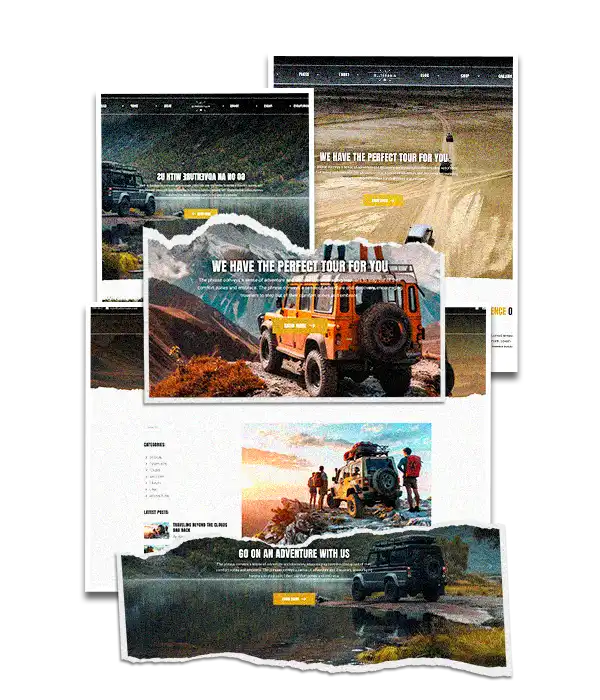
The perfect digital launchpad for tour operators, travel agencies, outdoor experience brands, or travel blogs.
Built to inspire and convert, AllTerrain combines bold visuals, intuitive navigation, and strategic content sections designed to showcase unforgettable travel experiences. Whether you're offering off-road adventures, eco-tours, cultural journeys, or guided hikes — this template gives your brand the professional, immersive online presence it deserves.
AllTerrain is a premium, fully responsive website template designed for travel agencies, adventure tour companies, local guides, and outdoor experience providers. With bold visuals, clear call-to-actions, and purpose-built sections, this template helps you turn visitors into bookings — effortlessly.
Whether you're showcasing off-road tours, eco-hikes, cultural trips, or wine-tasting adventures, AllTerrain gives you a modern, professional online presence that inspires trust and drives sales.
AllTerrain is also perfect for those who wish to share their adventures via a blog.

 HTML5
HTML5 CSS3
CSS3 JAVASCRIPT
 BOOTSTRAP 5.3
 JQUERY 3.7.1
 ANIMATIONS
 OWL CAROUSEL
 FANCYBOX
 PAGESPEED PASS
 PSD ASSETS
 STRUCTURED CODE
 COMMENTED CODE
 MOBILE FIRST
 CHROME
 EDGE
EDGE FIREFOX
 OPERA
OPERA SAFARI
As you may understand, the template pages have test information and contents for example purposes.
In this section we will cover the pages structure and what sections you should edit.
Open the [$data$/page-template.html] page to follow this tutorial.
Try following this tutorial as closely as possible to maintain a high SEO score.
Description:
Google Tag Manager for analytics
What to edit:
Login to your Google Tag Manager account, create a new container for your domain and replace this code with the one from the new container.
Description:
Page title meta tag
What to edit:
Replace this title with the title of your page maintaining the same format.
Description:
Page and website information meta tags
What to edit:
Replace these meta tags content with your own page and website information.
The description meta tag should have 150-160 characters to prevent truncation in search results.
Description:
Creator meta tags
What to edit:
Replace these meta tags content with information from your company.
Description:
Open Graph meta tags
What to edit:
Replace these meta tags content with information from your website.
These tags are used by social media platforms like Facebook, X (formerly Twitter), LinkedIn, Pinterest, and WhatsApp to display content previews when your page URL is shared.
Edit the [og:image] image to whatever suits your website's best.
Description:
Twitter meta tags
What to edit:
Replace these meta tags content with information from your website.
Twitter meta tags, also known as Twitter Cards, are used by content publishers to control how their webpage links appear on Twitter, and by Twitter itself to display the correct title, description, and image for those links when they are shared.
Edit the [og:image] image to whatever suits your website's best.
Description:
CSS files used in the website
What to edit:
Uncomment [bundled.min.css] and remove the other CSS files when in production.
The [bundled.min.css] contains a minified version of all the other files.
Never remove the [styles.css] file.
Description:
Main website CSS file
What to edit:
The main CSS file is commented so you can easily edit and customize your website.
Description:
Google Tag Manager for analytics
What to edit:
This is the second part of the Google Tag Manager code provided when you create a new container in the Tag Manager platform.
Description:
Header section of the page
What to edit:
No need to edit, the menu section from the file [includes/menu.html] will be loaded here, upon page load via JavaScript.
Description:
Page title and breadcrumb section
What to edit:
When you create a new page, you need to edit the page title and the breadcrumbs.
If you're creating a homepage you may want to replace this entire section with an image slider or a video.
Description:
Footer section of the page
What to edit:
No need to edit, the footer section from the file [includes/footer.html] will be loaded here, upon page load via JavaScript.
Description:
JavaScript files used on the website
What to edit:
Uncomment [bundled.min.js] and remove the other JavaScript files when in production.
The [bundled.min.js] contains a minified version of all the other files.
Never remove the [scripts.js] file.
Description:
The main website JavaScript file.
What to edit:
This file is also commented for better understanding and edition.
November 25, 2025 RELEASE

If you have any further questions please get in touch with our support team.